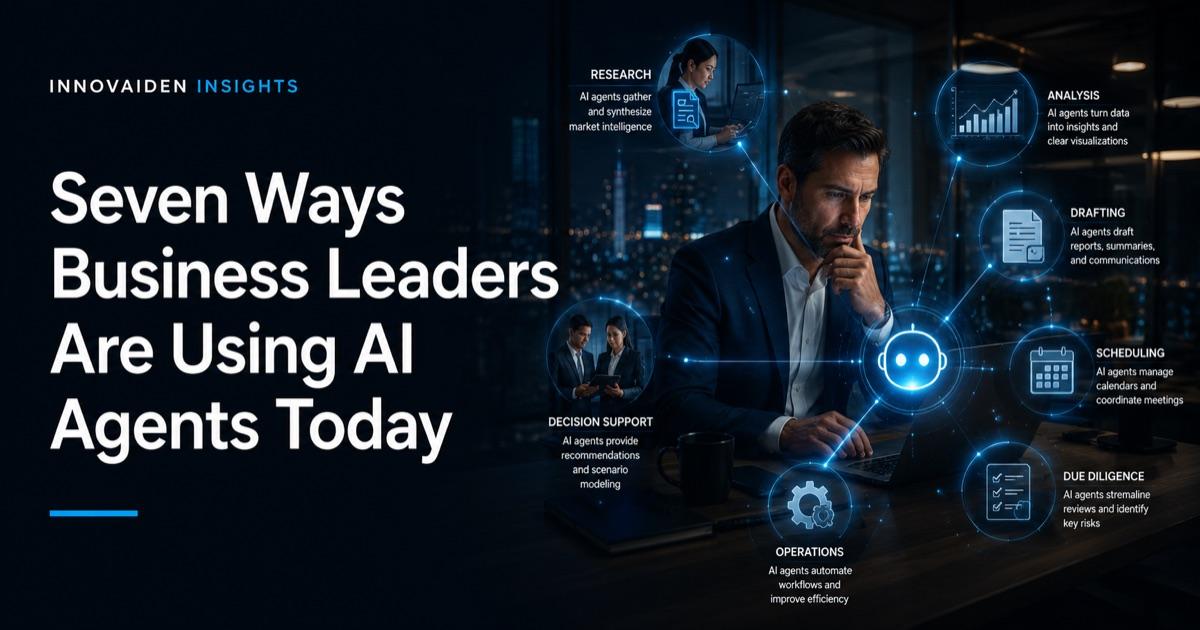
AI agents are not a future capability. They are an operational tool that advisory professionals, executives, and deal teams are using now to compress workflows that previously consumed hours of skilled labor. The use cases below are not theoretical, they reflect how agents like Claude Cowork are being deployed in practice across professional services, finance, and enterprise leadership roles.
If you are new to AI agents, start with our guide to what they are and why they matter. If you are ready to set one up, the step-by-step setup guide covers everything you need.
Key Takeaways
- The highest-value agent use cases for business leaders involve research synthesis, document production, and communication management, not general automation
- OpenAI reports that ChatGPT Enterprise users save 40 to 60 minutes per active workday, based on usage data and a survey of 9,000 employees at roughly 100 of its own paying customers. That measures general assistant use rather than agent deployment, and it is a vendor figure, so treat it as directional
- 64% of AI agent deployments focus on business process automation across support, HR, sales operations, and administrative functions
- Consulting firms including Deloitte and EY have moved past pilots into operational agent deployment across finance, tax, and compliance functions
- The most effective agent users treat the tool like delegation, clear end-state descriptions outperform vague instructions
- Each use case below includes a practical prompt template that can be adapted for Claude Cowork or similar agent platforms
1. Research and Competitive Intelligence
The most immediate productivity gain for any advisory or leadership role. Traditional research requires finding sources, reading them, extracting relevant data, and organizing findings into something actionable. An agent compresses that entire pipeline into a single delegation.
A managing director preparing for a board meeting can point an agent at a set of industry reports, competitor filings, and internal strategy documents and receive a structured competitive briefing, with sources cited and themes categorized, without personally reading every input document.
Practical prompt: "I have uploaded five industry reports and three competitor annual filings to this folder. Read all documents and produce a competitive intelligence briefing. Structure it as: executive summary (200 words), market position analysis by competitor, three emerging threats, and three strategic opportunities. Cite specific data points from the source documents. Save as competitive-briefing.docx."
2. Due Diligence Document Preparation
For PE deal teams, M&A advisors, and corporate development professionals, due diligence generates enormous volumes of documentation that need to be organized, cross-referenced, and summarized. Agents handle the mechanical assembly, reading data rooms, flagging inconsistencies, and producing structured summaries, so analysts and principals can focus on judgment. For more on how technology is transforming due diligence workflows, see our insights on GenAI in tech and cyber due diligence and why speed matters in digital due diligence.
Practical prompt: "This folder contains 30 documents from a target company data room, including financial statements, contracts, and organizational charts. Create a due diligence summary document organized by category: financial overview, contractual obligations and risks, organizational structure, and technology infrastructure. Flag any inconsistencies between documents. Note where information appears incomplete or missing. Save as dd-summary.docx."
3. Board and Executive Communication
Preparing materials for board meetings, investor updates, and executive reviews is one of the most time-intensive recurring tasks in leadership roles. The substance requires human judgment, but the formatting, data assembly, and structural organization are mechanical. Agents handle the latter.
Practical prompt: "Using the quarterly sales data in this spreadsheet and the strategic priorities document in this folder, create a board update presentation. Include: Q1 performance summary with key metrics, variance analysis against plan, three strategic initiative updates with status indicators, and a forward outlook section. Use a clean professional format. Save as board-update-Q1.pptx."
4. Email and Communication Management
Harvard Business Review research estimates the average professional spends 28% of their workday on email, over 11 hours per week. For partners and senior executives managing multiple client relationships, deal threads, and internal coordination simultaneously, email management is a significant cognitive drain.
With the Gmail connector enabled, agents can triage inboxes, draft responses that match your communication style, track unanswered follow-ups, and produce weekly communication summaries across all active threads.
Practical prompt: "Review my inbox from the past 48 hours. Categorize each message as: requires response today, requires response this week, informational only, or can be archived. For the messages requiring response, draft a reply for each, keep my tone professional and concise, avoid corporate jargon. Create a summary document listing all categorized messages with the draft responses. Save as inbox-triage.md."
5. Contract and Policy Review
Reviewing contracts, compliance documentation, and internal policies is essential but labor-intensive. Agents cannot replace legal judgment, but they can read large volumes of documentation and surface specific provisions, inconsistencies, or gaps that a professional would otherwise have to find manually.
Practical prompt: "This folder contains 15 vendor contracts. Read each contract and extract the following provisions from each: term and renewal conditions, liability caps and indemnification clauses, data processing and privacy terms, termination for convenience provisions, and any cybersecurity or compliance requirements. Create a comparison matrix in Excel with one row per vendor and one column per provision category. Flag any contracts that are missing standard provisions. Save as vendor-contract-matrix.xlsx."
6. Meeting Preparation and Follow-Up
The cycle of preparing for meetings and processing the outcomes afterward consumes a disproportionate amount of executive time. Agents can compile relevant background materials before a meeting and convert raw notes into structured action items, assignments, and follow-up communications afterward.
Practical prompt: "I have a meeting with [client name] tomorrow. In this folder you will find our previous engagement summary, their most recent annual report, and my notes from our last call. Prepare a one-page meeting brief that covers: relationship history and current engagement status, three key talking points based on their recent business developments, any open action items from previous meetings, and suggested next steps to propose. Save as meeting-prep.docx."
7. Data Consolidation and Reporting
When information is scattered across spreadsheets, documents, emails, and presentation files, consolidation becomes a project in itself. Agents can read across file types, extract relevant data, reconcile differences, and produce unified reports.
This is particularly valuable for quarterly reviews, client reporting, and any situation where data from multiple sources needs to be combined into a single coherent narrative.
Practical prompt: "This folder contains customer feedback from three sources: a survey response spreadsheet, a support ticket summary document, and call notes from the customer success team. Consolidate all feedback, identify the top five recurring themes by frequency, categorize issues by severity (critical, moderate, minor), and produce a customer feedback report. Include representative examples for each theme. Save as customer-feedback-Q1.docx."
The Pattern Across All Seven Use Cases
Every use case above shares the same structure: a clear end-state description, explicit formatting requirements, and defined input materials. The agent handles the reading, organizing, formatting, and assembling. The human handles the judgment, reviewing whether the output is accurate, strategically sound, and ready for its audience.
The professionals getting the most value from agents in 2026 are not the most technical. They are the clearest thinkers and communicators. The ability to describe precisely what you want, including what to include, what to exclude, and what format the output should take, is the differentiating skill.
Deloitte's State of AI in the Enterprise 2026 report found that worker access to AI rose by 50% in 2025, and that enterprises deploying AI agents expect an average 30% productivity improvement driven by automation of complex, multi-step workflows. ServiceNow reported a 52% reduction in the time required to handle complex customer service cases after integrating AI agents.
But Bain's 2025 Technology Report adds an important caveat: while AI investment is up, returns often lag behind expectations. The report attributes this gap to fragmented workflows, insufficient integration, and misalignment between AI capabilities and business processes. Deploying an agent is not the hard part. Deploying it effectively, with clear use cases, defined inputs, and human review processes, is what separates productivity gains from expensive experiments.
Gartner's August 2025 forecast sharpens the picture in both directions. On the upside: 40% of enterprise applications will feature task-specific AI agents by end of 2026, up from under 5% in 2025. On the downside: more than 40% of agentic AI projects will be cancelled by 2027 due to escalating costs, unclear value, or insufficient risk controls. The pattern across both numbers — high adoption, high failure rate — favors organizations that start with the well-scoped use cases above (clear inputs, structured outputs, human review) rather than open-ended autonomous deployments.
What Comes Next
These seven use cases cover the highest-impact applications for business leaders today. But every one of them involves giving an AI system access to sensitive information, client data, financial records, strategic documents, and internal communications.
The productivity opportunity is real and measurable. The security exposure is equally real and, in most organizations, not yet managed. Only 29% of organizations report being prepared to secure their AI agent deployments, according to Cisco's State of AI Security 2026 report. The McKinsey Lilli breach demonstrated what happens when enterprise AI platforms are deployed without adequate security controls.
Our companion pieces cover the security risks AI agents introduce, the practical security differences between agents and chatbots, and a deployment framework for implementing agents with appropriate controls.
Identify the Right Use Cases for Your Team
Innovaiden works with leadership teams deploying AI agents across their organizations - from initial setup and training to security framework alignment and governance readiness. Reach out to discuss how we can help your team.
Get in TouchFrequently Asked Questions
What are the highest-value AI agent use cases for business leaders?
The highest-value use cases involve research synthesis, document production, communication management, and data consolidation - not general automation. These are the repetitive, multi-step workflows that consume disproportionate amounts of skilled professionals' time. OpenAI reports that ChatGPT Enterprise users save 40 to 60 minutes per active workday, based on usage data and a survey of 9,000 employees at roughly 100 of its own paying customers. That measures general assistant use rather than agent deployment, and it is a vendor figure, so treat it as directional.
How are consulting firms using AI agents operationally?
Major consulting firms have moved past pilots into operational agent deployment. Deloitte's Zora AI platform targets a 25% reduction in finance team costs and a 40% increase in productivity. EY has deployed 150 AI tax agents for compliance and data review. ServiceNow reported a 52% reduction in the time required to handle complex customer service cases after integrating AI agents.
What makes an effective AI agent prompt for business tasks?
The most effective agent users treat the tool like delegation, not prompting. Effective instructions include: a clear end-state description, explicit formatting requirements, defined input materials, and stated constraints. For example, rather than asking an agent to 'analyze these contracts,' specify the exact provisions to extract, the output format (e.g., comparison matrix in Excel), and what to flag (e.g., missing standard provisions).
What percentage of AI agent deployments focus on business process automation?
64% of AI agent deployments focus on business process automation across support, HR, sales operations, and administrative functions. However, Bain's 2025 Technology Report notes that while AI investment is up, returns often lag behind expectations due to fragmented workflows, insufficient integration, and misalignment between AI capabilities and business processes.
Related Insights
Sources
- Deloitte. State of AI in the Enterprise, 2026. deloitte.com. 2026.
- Bain. Technology Report 2025. bain.com. 2025.
- Cisco. State of AI Security 2026. cisco.com. 2026.
- Harvard Business Review - How Much Time We Spend on Email
- ServiceNow. AI Agent Integration Results. servicenow.com. 2025.
- Gartner — 40% of Enterprise Apps Will Feature Task-Specific AI Agents by 2026, up from under 5% in 2025. August 26, 2025.
- PwC - 2025 AI Business Leaders Survey
- Lyzr AI - State of AI Agents 2026
- OpenAI — The State of Enterprise AI, 2025 report. 2025. Vendor-published; based on ChatGPT Enterprise usage data plus a survey of 9,000 employees at roughly 100 OpenAI customer organisations.